DNS Switcher
Performance-focused desktop application built with Tauri for instantly switching DNS configurations on Windows with minimal system overhead.
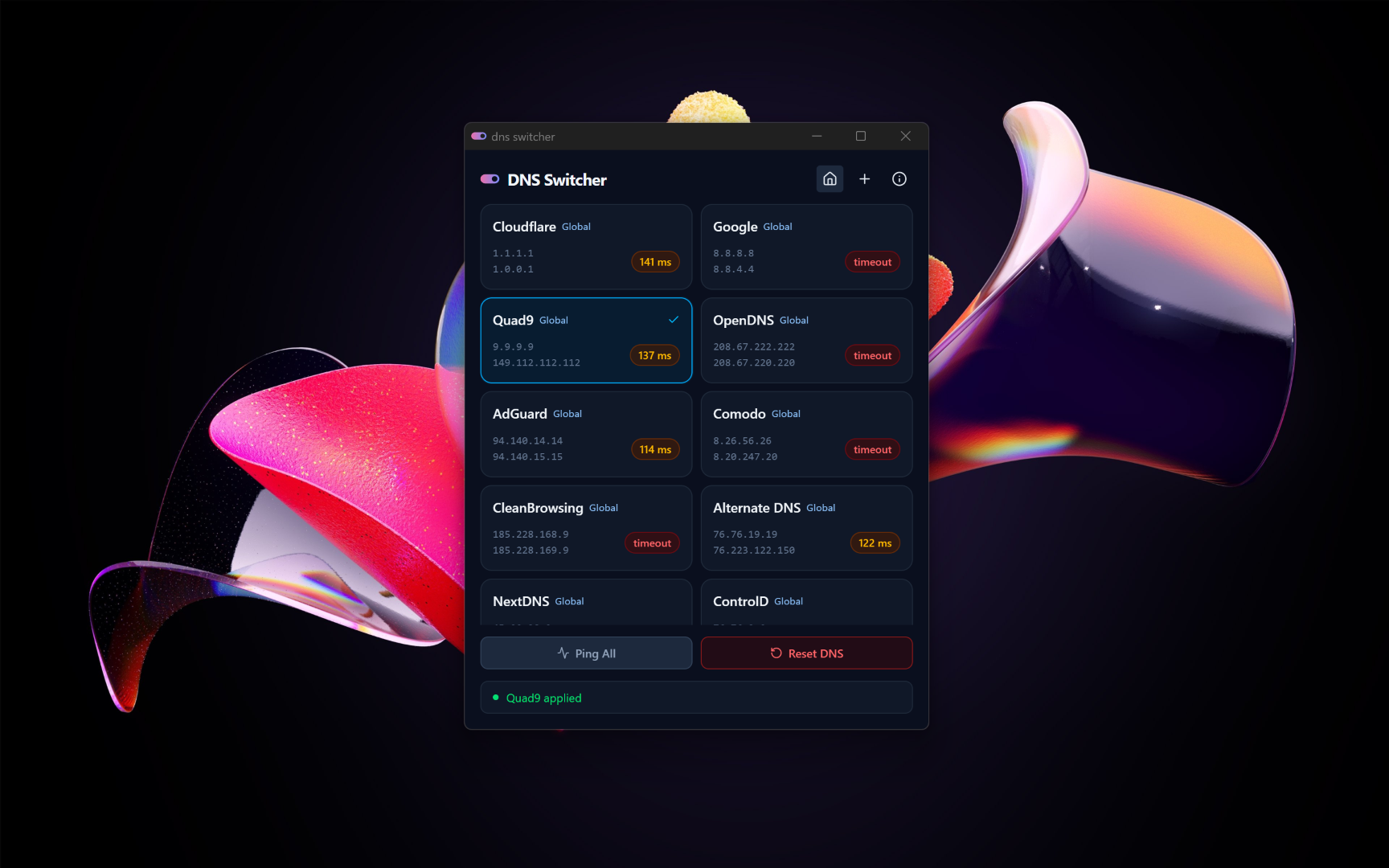
DNS Switcher was created to simplify the repetitive process of manually changing DNS settings on Windows during unstable internet conditions. Existing solutions either felt bloated or unnecessarily complicated, so I built a smaller and faster alternative.
The project originally started with Electron, but the startup speed and memory consumption immediately felt wrong for such a lightweight utility. I migrated the application to Tauri and learned enough Rust to properly build the backend integration layer.
One of the most impactful optimizations was maintaining a persistent PowerShell process instead of spawning new command instances repeatedly. This dramatically improved responsiveness and made switching configurations feel instantaneous.
The project became an exploration of frontend engineering beyond the browser. It pushed me into desktop runtime architecture, native system communication, and performance-oriented UX decisions.
Instant DNS switching on Windows
Persistent command execution pipeline
Lightweight native desktop runtime
Predefined and custom DNS profiles
Low memory footprint compared to Electron
Native-feeling startup performance
Tauri + Rust Native Backend
The project uses Tauri instead of Electron to significantly reduce memory usage and startup overhead. Rust handled the backend system interaction layer while React powered the UI.
Persistent PowerShell Process
Instead of spawning a new PowerShell process for every DNS operation, commands were piped through a persistent process instance. This reduced execution overhead and made interactions feel nearly instant.
Frontend-Focused Native Experience
The interface was intentionally designed to feel lightweight and responsive, avoiding heavy desktop UI patterns while still maintaining a native-like workflow.
Learning enough Rust to build reliable system-level integrations.
Creating a responsive desktop experience without Electron overhead.
Handling Windows networking permissions and command execution safely.
Designing low-level functionality while preserving UI simplicity.